
Think about how many times you unlock and lock your phone in a single day. If you actually counted, it would probably land somewhere between 50 and 100 and almost every single time, you do the exact same thing which is reach for the power button on the side of the phone, press it, and put the phone down.
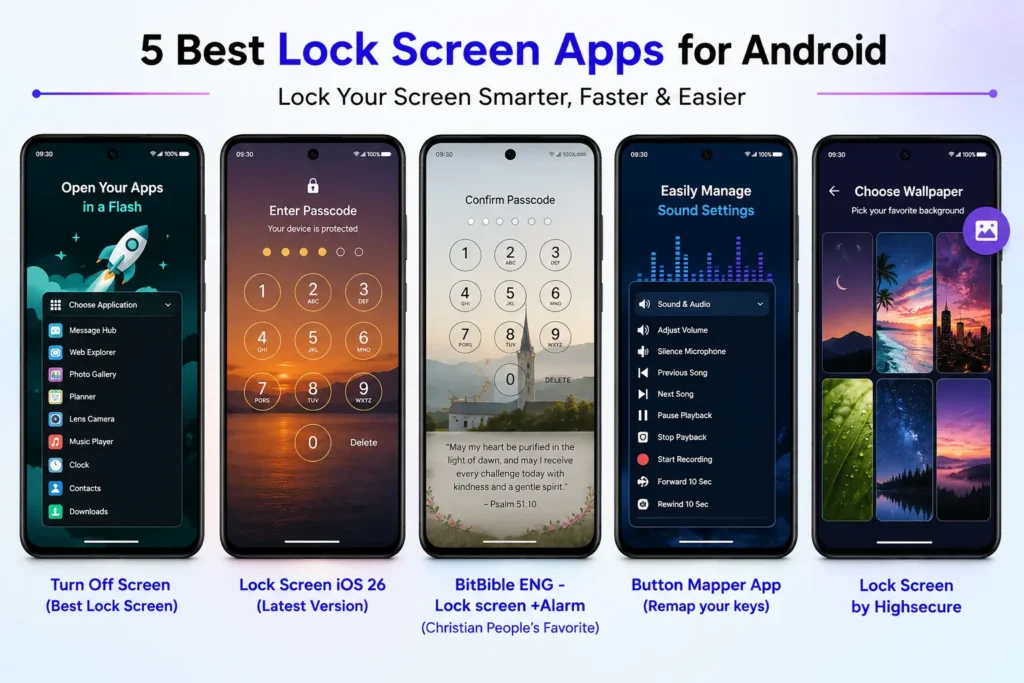
That works fine, but it is not exactly fast, and it gets more awkward every year as phones grow taller and power buttons get shifted higher up the frame. A screen lock app fixes this by putting the lock action somewhere your thumb already is, right on the screen, instead of somewhere you have to reach for.
Here is a real look at the best Lock Screen apps for Android right now, what each one actually does well, and where it falls short.
Why Not Just Use the Power Button?
On phones a few years old, the power button often gets sticky or stops responding the first time. Awkward reach is another, especially on bigger phones where the button sits too high to hit comfortably with one hand.
There is also a technical reason these apps exist at all. A few Android versions back, Google stopped letting regular apps lock the screen directly, as a security measure. So almost every app on this list uses something called Accessibility Service instead, which is the same type of permission used for things like autofill. It is a normal, approved way for an app to press your invisible power button for you.
What Actually Makes One of These Apps Good?
Not every screen lock app on the Play Store is worth installing. Here is what separates the best Lock Screen apps from the ones that just sit there:
- Locks the screen every time, on every major Android version
- Works properly on Samsung, Xiaomi, OnePlus, and Pixel, not just stock Android
- Keeps fingerprint unlock and Smart Lock working after setup
- Gives you more than one way to trigger the lock
- Does not eat noticeably into your battery
- Does not bury the useful parts behind ads or a paywall
5 Screen Lock Apps Worth Trying
Turn Off Screen (Best Lock Screen)
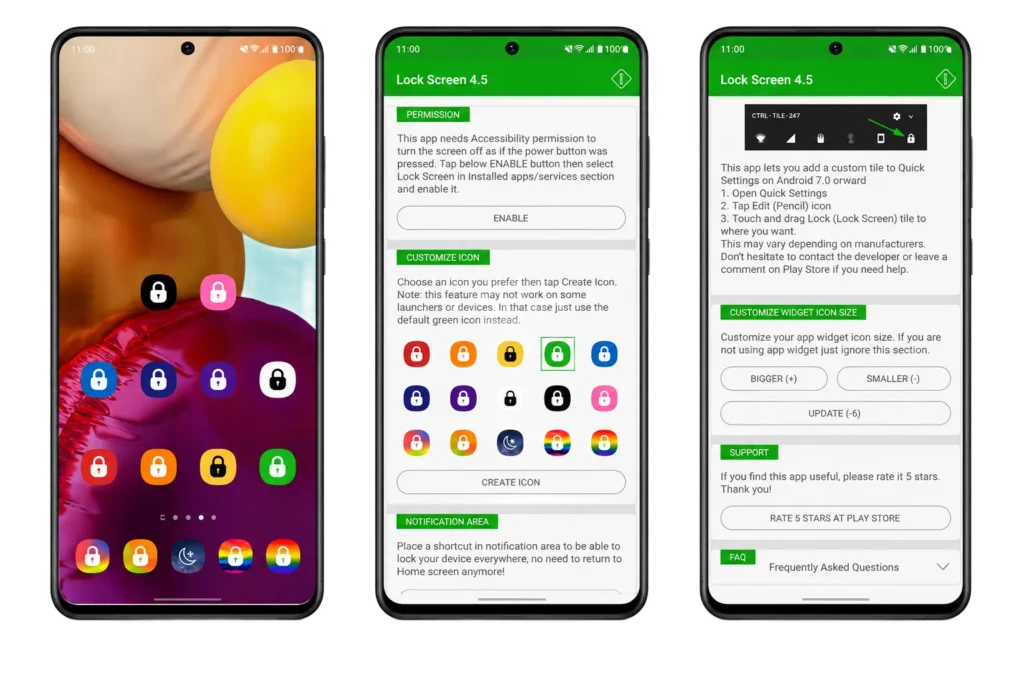
This is one of the longest running apps in the category, and it is still one of the most complete. You get three separate ways to lock your phone: a floating button, a home screen widget, or a shortcut in your notification shade. Fingerprint unlock and Smart Lock keep working without extra setup, and it covers Android versions going back years, including current foldable.
The trade off is ads in the free version, and on phones like Samsung or Xiaomi, you will likely need to manually exempt it from battery optimization or the system may shut it down in the background.
- Three lock methods in one app: button, widget, and notification shortcut
- Fingerprint and Smart Lock compatibility maintained automatically
- Free version shows ads
Lock Screen iOS 26 (Latest Version)
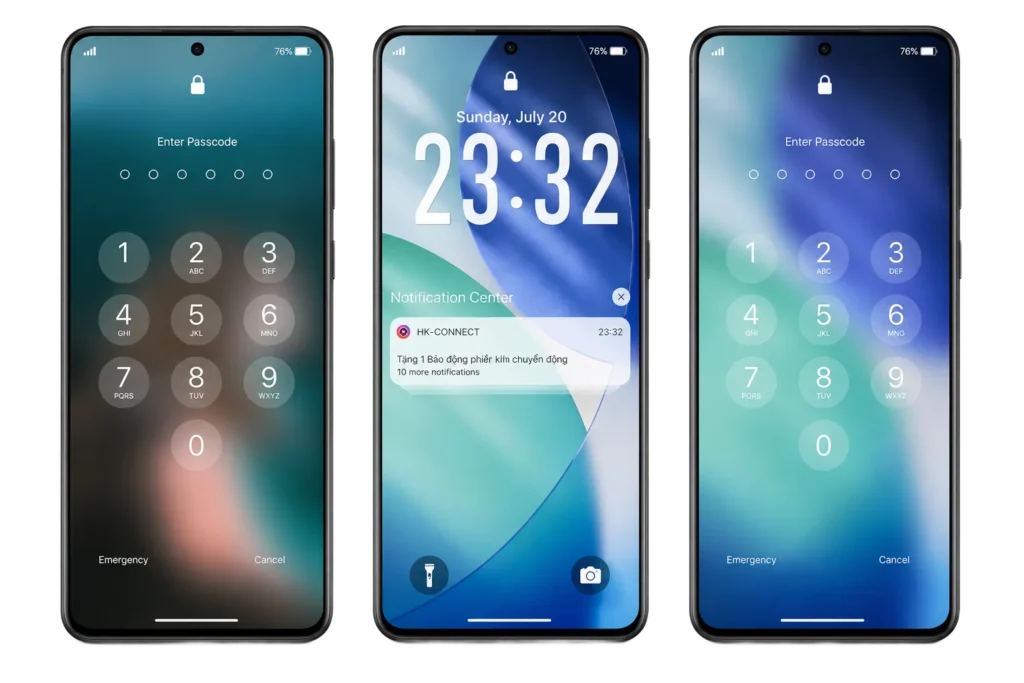
Lock Screen iOS 26 takes a different approach. Instead of a single fixed lock button, you get one customizable floating circle, and you decide what it does. Set a single tap to lock your screen and it behaves just like a dedicated lock app, but you also get a long list of other shortcuts, like flashlight, screenshot, and volume, mapped to double taps, long presses, or swipes in any direction.
It is free with no ads and nothing locked behind a paywall, and the button hides itself automatically during games, video, or when your camera is open.
- One floating button that you fully customize yourself
- No ads, nothing paywalled
- Auto hides during games, video, and camera use
BitBible ENG – Lock screen +Alarm ( Christian People’s Favorite)
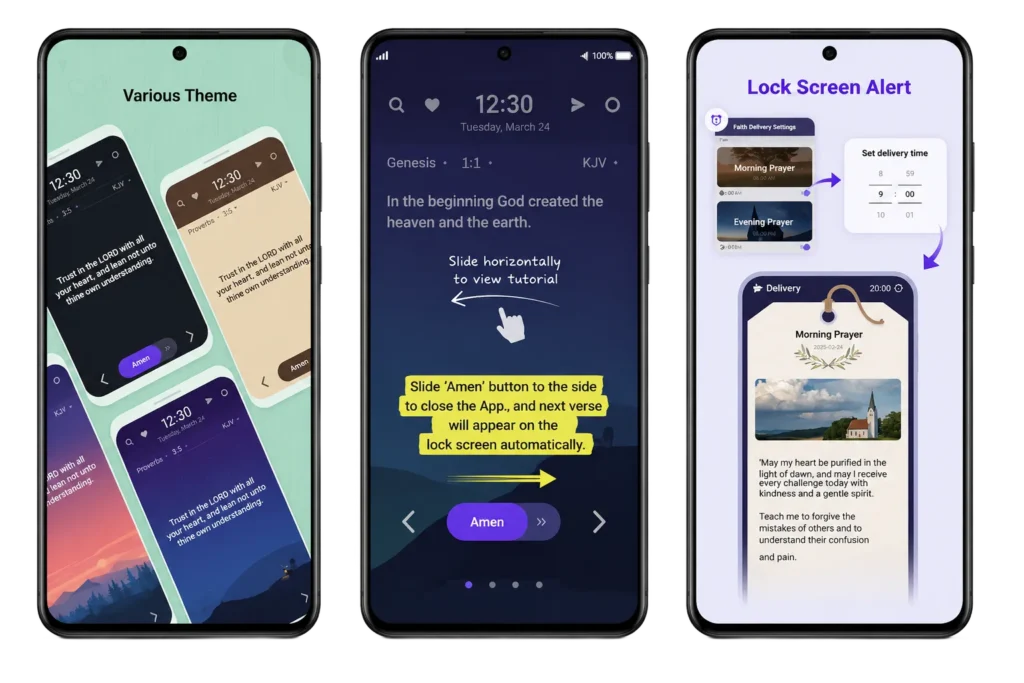
BitBible skips the usual lock screen entirely and replaces it with a Bible verse. Every time you wake your phone, a new verse appears, and once you have worked through it, the next one loads automatically the following time you unlock, so you get through Scripture a little at a time just by using your phone as normal. Pick from several visual themes, including night, sunset, blue, mint, dark, and beige, plus extra content layered in: a daily reflection, a rotating set of prayers, a short quiz, background on individual Bible books with artwork, and a catechism section covering core questions of faith. You can also turn on repeat reminders if you want a nudge to come back and read.
It is free but ad supported, with a small one time payment to remove them. A few users have also reported it interfering with other background apps, which is usually fixable from the settings rather than something you are stuck with.
- Replaces your lock screen with Bible verses that move forward automatically as you read
- Adds prayers, a quiz, book summaries with artwork, and a catechism section
- Free with ads, a small fee removes them, and it can occasionally clash with other background apps
Button Mapper App (Remap your keys)
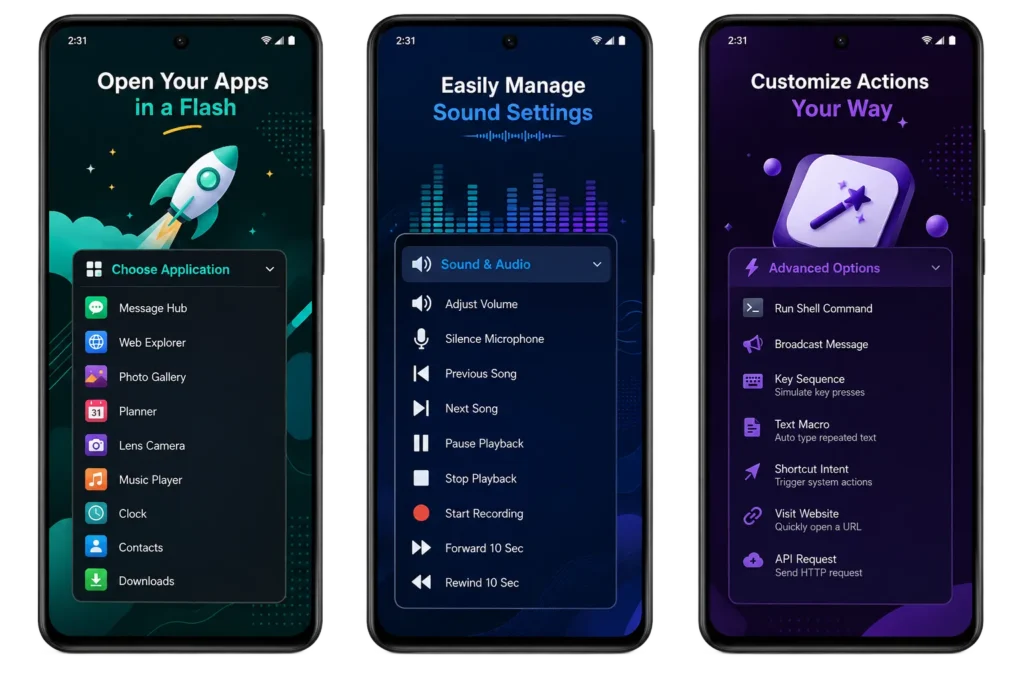
If you would rather not add anything new to your screen at all, Button Mapper takes a hardware approach instead. It remaps a button you already have, like a double press of the volume down key, so it locks your screen instead of doing its usual job.
Nothing new appears on screen, which some people prefer. Setup takes a little longer than the tap to lock apps above, and it can occasionally clash with another app that already uses the same button.
- Reuses a hardware button you already have
- Nothing new added to your screen
- A bit more setup than tap to lock apps
Lock Screen by Highsecure
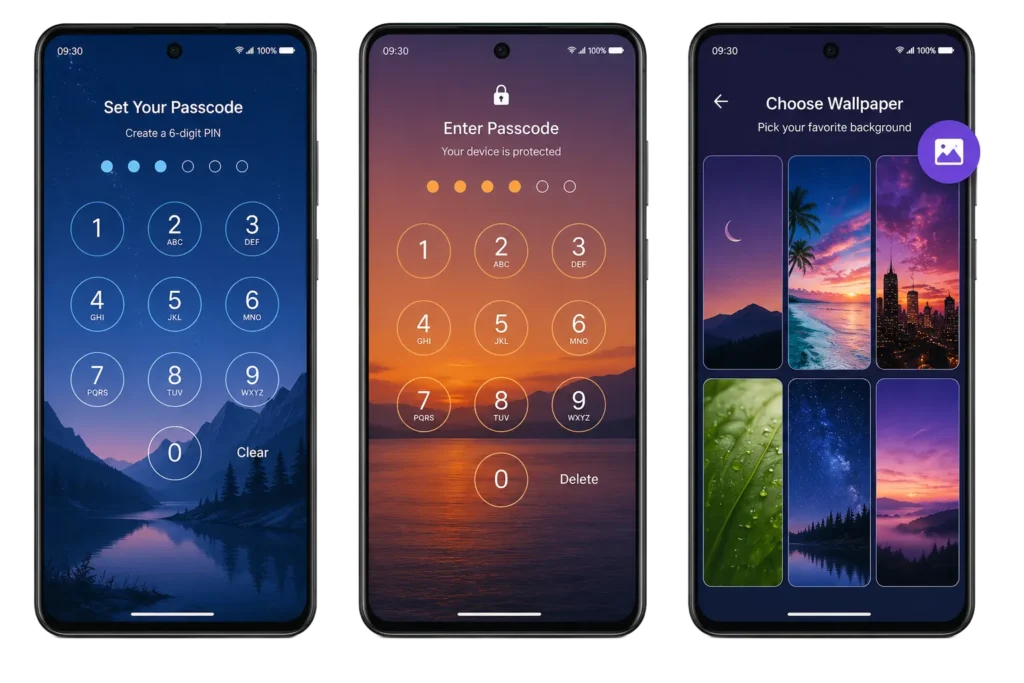
This one works differently from the rest of the list. Instead of helping you trigger the lock faster, it replaces your stock Android lock screen entirely. Setup takes under a minute: pick a 4 digit passcode, then choose a wallpaper from the app’s own collection or your gallery to sit behind it. A single tap toggles the lock on or off, and a separate shortcut turns the screen off and locks it instantly, useful if a failing power button is what sent you looking for an app like this in the first place. A recent update also added a proper forgot password reset, so a mistyped code will not lock you out for good.
The trade off is what you lose along with the stock lock screen: the emergency call option is not part of the replacement. It is free with ads between menu screens, and a small in app purchase removes them. A few users have also found the screen off shortcut buried on a second menu rather than the main one, worth checking there first if it does not show up right away.
- Full passcode replacement for your Android lock screen, wallpaper picked from the app or your own gallery
- One tap shortcut to turn the screen off instantly, useful for a failing power button
- Free with ads and an optional purchase to remove them, though the emergency call option is not available while it is active
How They Compare?
| App | How You Lock It | Ads | Extra Setup |
|---|---|---|---|
| Turn Off Screen | Button, widget, or notification | Yes, in free version | Battery optimization exemption on some phones |
| Lock Screen iOS 26 | Customizable floating button | No | Turn on Display Over Other Apps |
| Bit Bible | Automatic, motion and proximity sensors | No | Sensor sensitivity in settings |
| Button Mapper | Remapped hardware button | No | Assign the button action |
| Lock Screen by Highsecure | Built in floating panel | No | Turn on in system Settings |
Which One Fits You?
Still not sure which setup fits how you actually use your phone? Here is the short version.
| If you want | Try this |
|---|---|
| One complete app that does everything | Turn Off Screen |
| Zero ads and full customization | Lock Screen iOS 26 |
| To never tap anything at all | BitBible |
| No new button or icon on your screen | Button Mapper |
| Something built in, no install needed | Lock Screen by Highsecure |
A Few Common Questions
Do any of these need root access?
No. Every app here works with standard Android permissions like Accessibility Service or Display Over Other Apps, nothing more.
Will a screen lock app slow my phone down?
Not noticeably for most of these. BitBible uses a bit more battery since it reads sensors constantly, but the others sit idle until you actually tap them.
What is the best Lock Screen pattern to use?
A pattern that crosses over itself, touches most or all nine dots, and does not trace a simple letter or shape is much harder to guess than something like a straight line or an L. That said, a 6 digit PIN or fingerprint is still safer overall, since patterns can sometimes be read from smudge marks left on the screen.
Do I need to turn off fingerprint unlock or Smart Lock to use these?
No. Every app on this list works alongside fingerprint and Smart Lock. You are only changing how you trigger the lock, not how you unlock afterward.
What About How Your Lock Screen Looks?
Locking your phone faster is one thing, but plenty of people also care about what they actually see when they glance at the screen. If what you are really after is the best lock screen wallpaper, a clock widget, or a custom lock screen message in case your phone gets lost, that is a different category of app entirely, usually built around themes and widgets rather than speed. Worth its own search if that is the goal. For now, the five apps above are about getting in and out of your phone as fast as possible.
The Bottom Line
You do not need all five of these. Pick based on how you already use your phone. Want one solid app that covers everything? Go with Turn Off Screen. Ads bother you and you like customizing things? Lock Screen iOS 26 is the pick. Would rather your phone lock itself with no tapping at all? BitBible handles that quietly in the background. Power button still working fine and just curious? The built in Lock Screen by Highsecure costs nothing to try.
Whichever one you pick, give it a couple of days. Most people stop reaching for that side button almost immediately, and honestly, they do not miss it. Moreover If you are willing to Explore more apps like this please visit our home page.