Bible App Offline Tagalog: A Simple Guide to Reading Without Internet
BIBLIA
18 October, 2026
25.3MB
Latest (2026)
Android 10+
1M+
Description
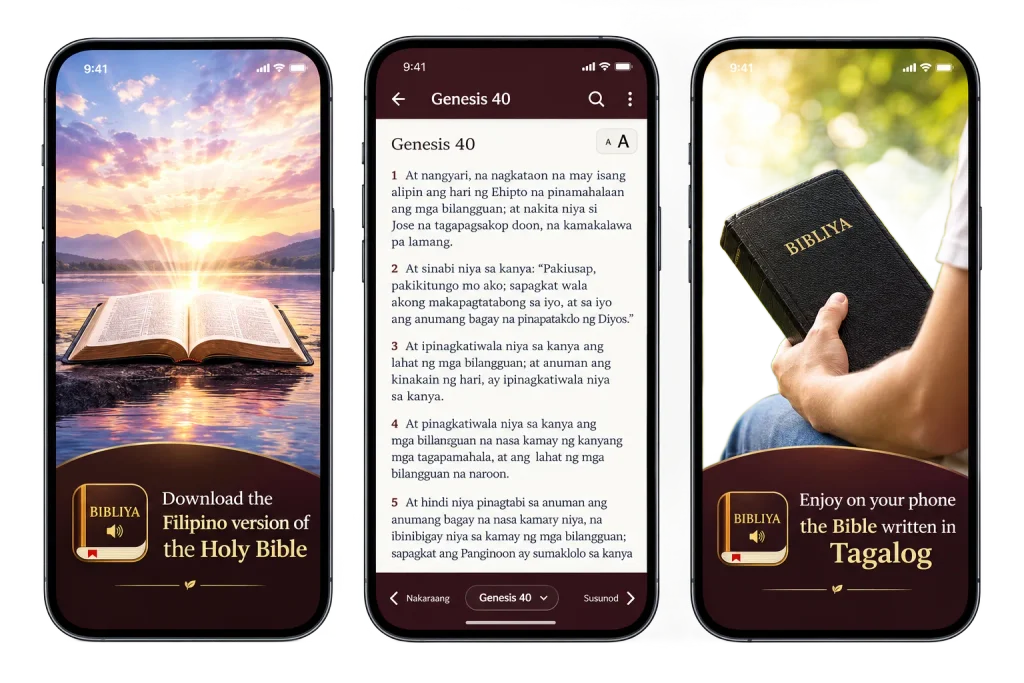
Mobile data is not cheap everywhere, and Wi-Fi is not always around when you need it. Maybe you are on a long bus ride, in a village with weak signal, or you just want a quiet morning reading without notifications. That is where a good bible app offline tagalog setup helps. You download the book once and read it anytime, anywhere.
In this guide I will walk you through how offline Bible reading works, what to look for, which apps people commonly use, and how to set everything up step by step. It is written for anyone around the world who wants to read the Bible in Tagalog, whether you grew up speaking it or you are just learning.
Why Read the Bible Offline?
Offline reading has a few clear benefits:
- Saves data. Once the text is on your phone, you don’t spend a single megabyte reading it.
- Works anywhere. Planes, trains, mountains, basements and power-cut evenings are all fine.
- Faster. Chapters open instantly because nothing needs to load.
- Fewer distractions. With the internet off, you won’t get pulled into other apps.
- Reliable. You are never stuck because a server is down.
For many families, a good offline bible app is not a luxury. It is simply the most practical way to keep the text close.
What Does “Bible Offline” Really Mean?
Many people think an app is offline just because it installs on the phone. That is not always true. Some apps only load the Bible from the internet each time you open a chapter. A truly offline app lets you download a full translation (or a few chapters) into your phone’s storage.
So before you commit to any app, check these things:
- Can you download the whole Bible, not just a few books?
- Does the downloaded version open with Wi-Fi and mobile data both switched off?
- Are the extra features, like highlights and notes, also available without internet?
Some features, such as syncing across devices, sharing verses or daily reminders from a server, usually need a connection. That is normal. The reading part is what matters most.
Why Bible Offline Tagalog Translations Are Special
Tagalog has several well-known Bible translations, and each one reads differently. Some use older, more formal language. Others use everyday words that feel closer to how people talk at home.
Here are a few translation styles people often come across:
- Traditional, formal style. Older wording, often loved for its poetic feel and familiarity from church.
- Common-language style. Simpler vocabulary that is easier for younger readers and new learners.
- Modern, contemporary style. Written to sound natural in today’s Tagalog.
The exact names and availability can change from app to app and from time to time, so always open the version list inside the app to see what is currently offered. If you are a beginner, try a common-language version first and compare it with a traditional one later.
What to Look For in a Good Bible App Offline
Here is a simple checklist you can use when comparing apps. If you are hunting for the best offline bible app, these are the things that matter most.
1. Easy Downloads
You should be able to pick a translation and download it with one or two taps. The app should also show how much storage space it needs.
2. Clean Design
Big, readable text and a simple menu make a huge difference. Look for adjustable font size, dark mode and a comfortable line spacing.
3. Search That Works Without Internet
A good search tool lets you type a word or verse reference and find it quickly, even offline.
4. Bookmarks, Highlights and Notes
These help you come back to verses that matter to you. Check that they can be saved on your device.
5. Light on Storage and Battery
Some apps are very heavy. If your phone is older, pick something lightweight so it doesn’t slow down.
6. Multiple Languages
If you want to compare Tagalog with English or another language, an app with many translations saves you from installing several different apps.
Popular Apps People Use
I won’t tell you there is one perfect app, because everyone’s needs are different. But here are some commonly used options, along with what they are generally known for. Features can change, so double-check inside each app.
YouVersion Bible App.
This is one of the most widely downloaded Bible apps in the world. Many readers like it because of its huge library of languages, reading plans and a clean layout. If you are specifically looking for a youversion bible app offline option, the idea is simple: you open a version, choose the download option, and the text is saved to your phone. It is a good starting point for Tagalog readers because it usually lists several Tagalog versions.
Bible.is
This one is popular for audio. If you like to listen while you walk or commute, an offline audio bible app like this can be a great fit, since you can download audio chapters in advance.
Blue Letter Bible.
Known more for study tools such as word studies and commentaries. It is useful if you like digging deeper into the meaning of words, though some features need internet.
A well-known site with an app that offers many translations and study resources. Some content works offline, depending on the version.
e-Sword and similar desktop programs.
These are made for computers. If you want a bible app for pc offline, programs like these let you install modules on a Windows computer and read without a connection.
Remember that app features and available translations can change over time, so take a minute to look at the app’s description or settings before you download large files.
How to Download a Bible App Offline Tagalog?
If you are wondering how to download bible app offline files properly, here is a simple process that works for most apps:
- Connect to Wi-Fi. Downloads can be large, so don’t use mobile data if it is limited.
- Install the app from your phone’s official app store.
- Open the app and go to the Bible or versions section.
- Choose Tagalog from the language list.
- Pick a translation that matches your reading style.
- Tap the download button. Most apps show a small cloud or arrow icon.
- Wait for the download to finish. Do not close the app until you see it is complete.
- Test it. Turn on airplane mode and open a chapter. If it loads, you are all set.
It takes only a few minutes, and after that you can read for free as often as you like.
Setting Up Bible Offline Tagalog Reading on Different Devices
Android Phones
Android users have lots of choices. If you are searching for the best offline bible app for android, start by checking the app’s rating, size and how often it gets updates. Make sure you have enough free storage before you download a full Bible. Some people also like downloading a second language for comparison.
iPhone and iPad
If you want an offline bible app for iphone, the process is almost the same: install from the App Store, choose your language and download the version. Apple devices usually handle big text files very smoothly, and the reading experience feels clean on larger screens like the iPad.
Windows PC and Laptops
Reading on a bigger screen is nice for study. Many people look for an offline bible app for laptop use so they can type notes while they read. Desktop programs usually let you download modules and keep them on your hard drive.
Using an APK File
Some people look for a bible app apk offline to install on their Android phone. A word of caution: only download from trusted sources. Files from unknown websites can carry unwanted software and may not be safe. The official app store is always the safest choice.
Other Languages and Versions
The Philippines has many languages, and lots of readers want something in their own mother tongue. Apart from Tagalog, you may be interested in versions in Cebuano, an ilocano bible app offline or a hiligaynon version. Many of the big apps list these in their language menus, so it is worth scrolling through the full list.
If you also want English, popular choices include the KJV and NIV. People who like classic wording often look for a kjv bible offline app, while others prefer the easier modern flow of a niv bible app offline option. Having Tagalog and English side by side is a great way to improve your English or understand a passage more clearly.
Tips for a Better Reading Habit On Bible apk
An app is only useful if you actually open it. Here are some simple ideas:
- Set a small goal. Even one chapter a day adds up.
- Pick a fixed time. Morning, lunch break or before bed all work. Just keep it consistent.
- Use a reading plan. Many apps have plans that guide you through a book or topic.
- Highlight and write short notes. It helps you remember what you read.
- Try audio. If your eyes are tired, listening is a nice change.
- Read with someone. Sharing thoughts with a friend or family member makes it more fun.
Managing Storage on Your Phone
A full Bible text is usually small, but audio files can be big. To keep your phone running well:
- Download only the translations you actually use.
- Delete old audio files after you finish listening.
- Move photos and videos to cloud storage or a computer if space is tight.
- Keep the app updated, because updates often fix bugs and improve speed.
If your phone is low on space, a simple holy bible offline app that focuses just on the text is a smart choice.
Common Problems and Easy Fixes
The chapter won’t open offline. The download may not have finished. Reconnect to Wi-Fi and download it again.
The app is slow. Close other apps, restart your phone and clear the app’s cache in settings.
The text looks too small. Open the display settings and increase the font size.
The version disappeared. Sometimes an update resets things. Re-download the translation while you are online.
Not enough storage. Remove things you don’t need or pick a smaller app.
Is It Worth Switching to Digital?
Many readers still love a printed Bible, and that is completely fine. A paper copy never runs out of battery. But a phone offers things print can’t: instant search, several translations in one place, adjustable text and the ability to carry everything in your pocket. Many people use both, a paper copy at home and an app on the go.
If you are on a tight budget, you will be glad to know that a free offline bible app is easy to find, and most of the major apps don’t charge to read or download text. Just watch out for optional paid extras you don’t actually need.
Final Thoughts
Reading in your own language makes the words feel closer and easier to understand. With a good bible app offline tagalog setup, you don’t need to worry about signal, data packs or slow loading. Just download your favorite version once, test it in airplane mode, and you are ready to read anywhere.
Start simple. Pick one app, one translation and one small daily goal. If it feels comfortable, build from there. Over time, you will find the tools and the routine that suit you best.